[ Reversing a BLE Protocol from Android ]
[ Overview |
The BLE model |
Toolbox |
Capture the traffic |
Decode the capture |
Read the app |
The auth handshake |
Worked example: Puffco |
Build your own client |
A cleaner capture |
Legal & ethics ]
[ Overview ]
Almost every "smart" gadget (a vape, a lock, a scale, a light, a
thermostat) is really a tiny Bluetooth LE server, and the vendor app is
just a client poking at it. If you want your own client (a script, a Home
Assistant integration, a web app) you have to learn the conversation those
two are having. That's protocol reverse engineering, and on Android it's
unusually approachable because the OS will hand you a full packet capture
of its own Bluetooth stack if you ask.

The method is two pincers that meet in the middle:

  1. Capture the traffic: turn on Android's HCI snoop log, drive the
     official app, and decode what actually went over the air.
  2. Read the app: decompile the APK and find the UUIDs, opcodes,
     string constants, and crypto that name and explain the bytes you saw.

Neither alone is enough. The capture shows you what happens but not what
it's called or why; the decompile shows you names and logic but not which
paths the device actually honors. Together they turn an opaque byte stream
into a documented protocol you can reimplement.

This guide walks the whole loop, then ends with a real worked example: the
Puffco Peak Pro, whose newer firmware speaks a path-based protocol its own
code calls LORAX. Same method built the browser Volcano Hybrid controller:
capture, decode, confirm, reimplement.
[ The 60-second BLE model ]
You don't need the whole spec, just the shape of it. A BLE peripheral (the
device) exposes a GATT table, a tree of:

  Service          a group of related features, named by a 128-bit UUID.
  Characteristic   a single value/endpoint inside a service, also a
                   UUID, with properties: read, write, write-without-
                   response, notify, indicate.
  Handle           a small 16-bit number (0x0017…) the connection
                   uses to address a characteristic on the wire. Handles
                   are per-connection plumbing; UUIDs are the stable names.

The client (your phone) does three things over and over:

  — writes bytes to a characteristic to send a command,
  — reads a characteristic to poll a value, and
  — subscribes to notifications so the device can push bytes back
    unprompted (replies, events, streamed data).

Two design patterns show up in the wild:

  — One characteristic per field: a UUID for temperature, another
    for battery, another for the on/off switch. Simple devices (and the
    Volcano) work this way; reversing is mostly "which UUID is which."
  — A command channel: one "write" characteristic you send framed
    commands to and one or two "notify" characteristics the replies stream
    back on. Richer devices (and Puffco's LORAX) do this; reversing means
    working out the frame format and the command vocabulary.

Everything below is about telling which one you're looking at and then
mapping it out.
[ Toolbox ]
All free, all cross-platform:

  Android phone   the vantage point. Developer Options gives you the
                   HCI snoop log; no root required on most builds.
  adb             pull the capture (and the bug report that contains
                   it) off the phone.
  Wireshark       opens btsnoop logs natively and dissects
                   HCI/L2CAP/ATT for you, great for a first look and for
                   filtering (btatt, bthci_acl).
  jadx            decompiles an APK's DEX back to readable Java. Your
                   main static-analysis tool. apktool too, for smali +
                   resources.
  nRF Connect     Nordic's app (phone or desktop) to browse a device's
                   GATT table live and read/write characteristics by hand.
  Python          to script a decoder once you understand the frames,
                   and later to drive the device yourself (bleak is the
                   cross-platform BLE client library).
  Frida           (optional) hook the running app to watch decrypted
                   buffers and keys at the moment they're used, the
                   dynamic complement to jadx when crypto gets in the way.
[ Capture the traffic — the HCI snoop log ]
Android can log every HCI packet exchanged between the phone and its
Bluetooth controller. That's the whole conversation, below the app, in a
standard btsnoop file Wireshark understands.

  1. Enable Developer Options: Settings → About phone → tap
     "Build number" seven times.
  2. Turn on the snoop log: Settings → System → Developer
     Options → "Enable Bluetooth HCI snoop log". Set it to
     Enabled/Filtered, then toggle Bluetooth off and on so the
     setting takes effect and a fresh log starts.
  3. Drive the app: open the vendor app, connect to the device, and
     do the specific things you want to reverse: change a temperature,
     start a cycle, read the battery. Keep it short and deliberate; every
     extra action is more haystack.
  4. Pull the log. The file is btsnoop_hci.log, but its location
     varies by OEM/Android version. The reliable path is to grab a bug
     report, which always contains it:
# reliable on any modern Android: the bugreport zip carries the snoop log
adb bugreport bugreport.zip
unzip -o bugreport.zip 'FS/data/misc/bluetooth/logs/*' -d snoop
# older/rooted devices sometimes expose it directly:
adb pull /sdcard/btsnoop_hci.log             # or /data/misc/bluetooth/logs/

# then just open it in Wireshark for a first pass
wireshark snoop/FS/data/misc/bluetooth/logs/btsnoop_hci_vv.log
[ Decode the capture ]
Wireshark gives you a great first read, but to map a protocol you want to
isolate the device's traffic and decode its framing yourself. A btsnoop file
is trivial to parse; the useful signal lives a few layers down:

  btsnoop record → H4 (0x02 = ACL) → L2CAP → ATT (CID 0x0004)

Filter to ATT and three opcodes carry almost everything:

  0x52  Write Command        phone → device commands
  0x12  Write Request        same, when it wants an ack
  0x1b  Handle Value Notify  device → phone replies / events

Count writes by handle and the busiest one is your command channel;
count notifications by handle and the busiest one or two are your reply /
data channels. You've found where to look without reading a single UUID.
import struct
from collections import Counter

def load_att(path):
    data = open(path, "rb").read()
    assert data[:8] == b"btsnoop\x00", "not a btsnoop file"
    off, atts = 16, []                        # skip the 16-byte file header
    while off + 24 <= len(data):
        olen, ilen, flags, drops, ts = struct.unpack(">IIIIq", data[off:off+24])
        off += 24
        pkt = data[off:off+ilen]; off += ilen
        if not pkt or pkt[0] != 0x02:         # H4 type 0x02 = ACL
            continue
        b = pkt[1:]
        if len(b) < 8:
            continue
        l2len, cid = struct.unpack("<HH", b[4:8])
        if cid != 0x0004:                     # ATT channel only
            continue
        p  = b[8:8+l2len]
        op = p[0]
        h  = struct.unpack("<H", p[1:3])[0] if len(p) >= 3 else -1
        atts.append((ts, "RX" if flags & 1 else "TX", op, h, p[3:]))
    return atts

atts   = load_att("btsnoop_hci.log")
writes = Counter(h for _, _, op, h, _ in atts if op == 0x52)
notifs = Counter(h for _, _, op, h, _ in atts if op == 0x1b)
print("write handle  :", writes.most_common(1))    # -> command channel
print("notify handles:", notifs.most_common(2))    # -> reply + data
With the channel found, dump the write payloads side by side and the frame
format falls out of three tells:

  — a field that increments by a constant every command → a sequence
    id, used to match a reply to its request. Watch for little-endian.
  — a byte that only ever takes a handful of values → an opcode /
    command type. Tabulate them against what you did in the app.
  — readable ASCII in the tail → paths, keys, or names — free
    documentation the vendor left in the clear.

Match replies back to commands by the echoed sequence id, and reassemble
multi-notification replies in order. That correlation is the whole game for a
command-channel protocol.
[ Read the app to confirm ]
The capture gave you handles and a frame shape; the app gives you the names
and the meaning. Pull the installed APK and decompile it:
# find and pull the installed APK
adb shell pm path com.vendor.app          # -> package:/data/app/.../base.apk
adb pull /data/app/.../base.apk vendor.apk

# decompile DEX back to readable Java
jadx -d out vendor.apk

# then grep the source tree for what you're chasing
grep -rInE '[0-9a-f]{8}-[0-9a-f]{4}-' out/                    # 128-bit UUIDs
grep -rIn  'writeCharacteristic\|setCharacteristicNotification' out/
grep -rIn  'MessageDigest\|SecretKeySpec\|SHA-256' out/       # crypto / auth
What you're mining for:

  — The service + characteristic UUIDs that match your handles. Now the
    command channel has a real name and you can discover it by UUID in your
    own client instead of a fragile handle number.
  — Opcode constants: the enum values behind that command-type byte
    (READ_SHORT = 0x10, …), often with method names that document them.
  — The path / key strings you saw as ASCII in the payloads, usually in
    one file that reads like a map of the device's state tree.
  — The auth routine the device demands before it honors anything.

If the app is obfuscated (ProGuard / R8), names decay to a.b.c(), but
string constants survive (UUIDs, path literals, error text), and those are
exactly the breadcrumbs you need. When logic is buried or the interesting
bytes only exist decrypted in memory, hook the running app with Frida and
log the buffer at the call site.
[ The auth handshake ]
Plenty of devices won't accept commands until the client proves it's a "real"
app. This is almost always a challenge–response, and it's the one part you
usually can't get from the capture. If snoop logging started after
pairing, the handshake already happened. Read it out of the app instead.

The common shape:

  1. client asks the device for a seed / nonce (a "get access seed"
     command),
  2. device returns some random bytes,
  3. client mixes those bytes with a hard-coded secret baked into the app
     — typically a hash: response = SHA-256(SECRET || seed)[:n],
  4. client sends that back as an "unlock" command; only then are reads and
     writes honored.

The whole point of the scheme is that the secret lives in the app, so
the app is where you get it. Find the digest call in the decompiled
source, read off the constant and the exact byte layout (order, length,
truncation), and you can compute the response yourself. If it's whitebox-
obfuscated, Frida-hook the hash call and read the inputs at runtime.

And capture the handshake itself if you can: snoop on before the app
connects (see below). The seed the device sends and the response the app writes
back are a known-answer test: the secret's still in the app, but now you
can prove your code reproduces a real unlock offline, before you go near the
device.

Skip this and every read returns an error, the classic "why does the
real app work and mine doesn't" wall. The device is just waiting to be
unlocked.
[ Worked example — the Puffco LORAX protocol ]
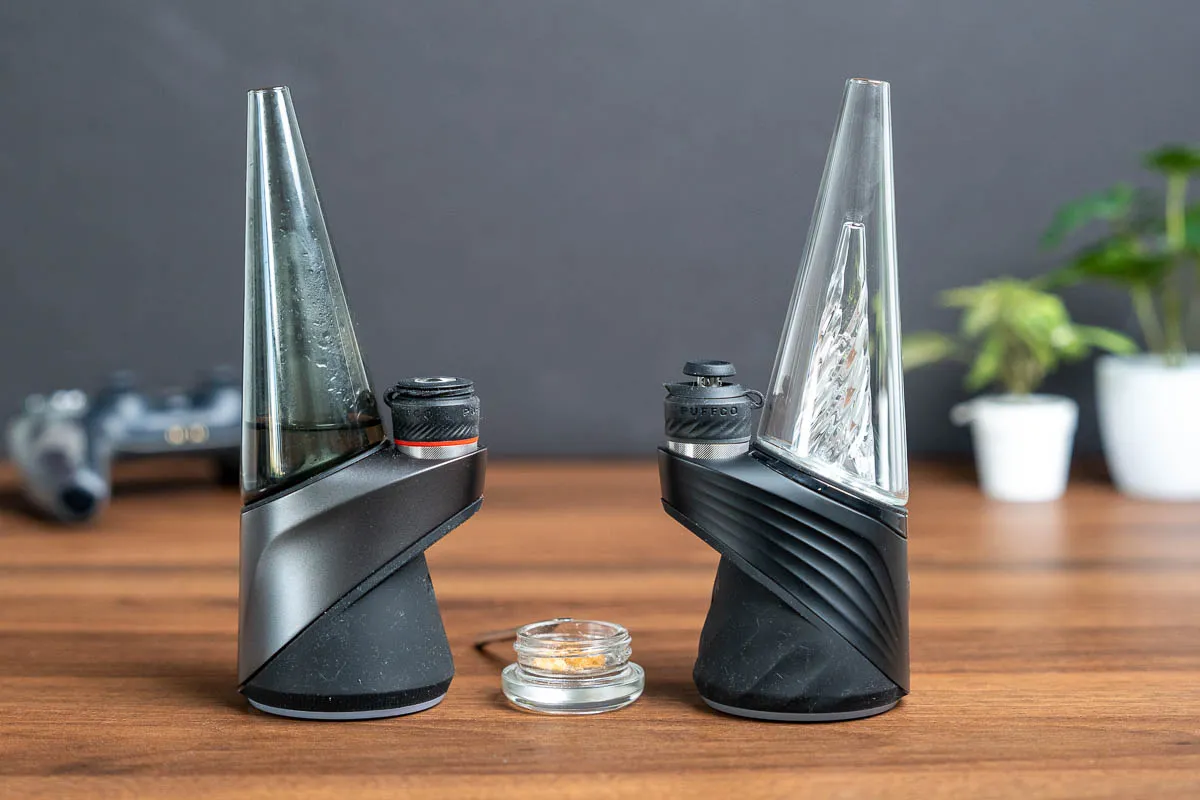
Putting it together on a real target: a btsnoop capture from a Puffco Peak
Pro (newer firmware), 34,324 HCI records and ~28,596 ATT packets, decoded
with the method above. The newer firmware drops the legacy one-char-per-field
GATT for a path-based command channel the app's own code calls LORAX.

Channels: the real UUIDs (from the app / reference impl; match by
these, not by the per-session handles):

  service   e276967f-ea8a-478a-a92e-d78f5dd15dd5
  command   60133d5c-5727-4f2c-9697-d842c5292a3c   write no-resp  (0x17)
  reply     8dc5ec05-8f7d-45ad-99db-3fbde65dbd9c   notify replies (0x19)
  event     43312cd1-7d34-46ce-a7d3-0a98fd9b4cb8   notify events  (0x1c)
  version   05434bca-cc7f-4ef6-bbb3-b1c520b9800c   read

You find them by traffic. The busiest write handle is the command channel,
the two busiest notify handles are the reply and event channels. Then swap
the per-connection handles for these stable UUIDs, since handles don't survive
a reconnect.
Frame format, read straight off the bytes and confirmed in the app:

  frame = seqId (uint16 LE) + opcode (uint8) + payload

A real write to handle 0x17:

  8c 05  10  0000 f100  2f70 2f6c 6f67 762f 6175 642f 656e 7472

  8c 05        seqId 0x058c (LE), increments every command, wraps at 0xffff
  10           opcode 0x10 = readShort
  0000 f100    args (offset / length)
  2f 70 …      ASCII "/p/logv/aud/entr"

Replies come back on 0x19 / 0x1c carrying the same seqId, so you match
request → response. The bulk channel 0x1c runs its own independent 16-bit
sequence (… 0x03fd, 0x03fe, 0x03ff, 0x0400 …) for reassembly.
Opcodes (byte 3), recovered from payload clustering + the APK enums:

  0x00  getAccessSeed   auth: ask for the seed
  0x01  unlock          auth: send the computed response
  0x02  getLimits       read device limits
  0x10  readShort       read a path        (577× this capture)
  0x11  writeShort      write a value      (429×)
  0x20 / 0x22 / 0x23    larger writes
  0x03  ack / flow      reply + flow-control (the bulk of the frames)

A readShort reply is seqId(2) + status(1) + value, status
0x00 = OK. Strip the status byte and decode the value by its path.

Paths: LORAX addresses device state as little filesystem-like paths,
and one connection readShorts a whole tree of them:

  /u/sys/name       device name          /p/bat/soc        battery %
  /p/sys/hw/ser     serial number        /p/app/htr/temp   heater temp
  /p/sys/bt/mac     Bluetooth MAC        /p/app/odom/0/nc  lifetime cycles
  /p/app/stat/id    operating state      /u/app/hc/<0-3>/*  the 4 heat profiles
  /p/logv/aud/{sel,entr,end}             audit-log select / entry / end

(/p/… paths are device / read-mostly; /u/… are user-settable,
like the heat profiles.)
The auth handshake, solved. A capture that starts before the app
connects catches the unlock a mid-session log misses. The flow:

  CTRL> getLimits (0x02)
  CTRL> getAccessSeed (0x00)    →  device notifies a 16-byte seed
  CTRL> unlock (0x01) [token]   →  reads / writes now accepted

The token is SHA-256(HANDSHAKE2 || seed)[:16], where HANDSHAKE2
is a 16-byte constant baked into the app. Puffco's "New Proxy" firmware uses a
different constant than the older legacy key; it's published in the
austenstone/puffco-mcp client (src/lorax.ts):

  HANDSHAKE2 = base64_decode("ZMZFYlbyb1scoSc3pd1x+w==")   # 16 bytes
  token      = SHA-256(HANDSHAKE2 + seed)[:16]

Prove it with a known-answer test from the capture: run a captured seed
through your code and confirm you get the captured token back, before you touch
the device:

  seed  31758daf0d0b70d3a5b0e59e3bd0850a
  token 845b7407b3ddba946877cb0df28ac588   (match)

  seed  25e1ebddd4dcc26595c7a5bb8654782d
  token 7aa6f2179aa2428bf97da86d8552cee5   (match)

That KAT is the line between "my crypto is right" and "why won't it unlock."
It's an interop unlock for a device you own, already public in the client
above, not a content, payment or safety key (see Legal & ethics).
A full read. With the unlock done, the app readShorts down the
tree and the device's whole state falls out in one connection: identity,
battery, heater, odometer, and all four heat profiles. The trick is decoding
each value by the leaf of its path:

  name / serial / gith   NUL-terminated ASCII      ("PEAK PRO …")
  mac                    6 raw bytes             (44:2d:b1:…)
  colr                   packed R, G, B, _, mode
  state / version        small u8 / u32 ints
  everything else        float32 little-endian

Nearly every scalar is a float32, and that's a lesson from the first pass,
where /p/bat/soc looked like a u16 fixed-point percent but is really a
float32 (72.60), and the heat-profile temps are float32 °C the user set
as round °F (254.4 °C = 490 °F). Guess the type wrong and the bytes
still "decode" into garbage. When a 4-byte value is nonsense as an integer,
try it as a little-endian float. This is also where your own capture earns
its keep: the reference client decodes some of these leaves as u16 / u32
fixed-point, but on this firmware they're plain float32. When the repo and
your bytes disagree, trust the bytes.
Decoding the write channel to CSV showed what the session actually was:
~99% of it was one bulk operation, the phone downloading the device's audit
log, which is why it looked so repetitive:

  t_s    op          seq   path              payload
  0.039  readShort   1420  /p/logv/aud/entr  0000f100…
  0.110  writeShort  1422  /p/logv/aud/sel   …00ef080000   <- index ef08
  0.151  readShort   1424  /p/logv/aud/entr  0000f100…
  0.195  writeShort  1426  /p/logv/aud/sel   …00f0080000   <- index f008
  …

The loop is writeShort /p/logv/aud/sel <index> → readShort /p/logv/aud/entr
→ the entry streams back on the bulk channel → repeat, index incrementing,
~400×. Each entry reply is a set of [addr:2][0004][float32 LE] tuples,
sensor snapshots the device recorded. That one pattern explained tens of
thousands of packets.

None of it took guessing. A small Python decoder parses the btsnoop, finds
the channels by handle count, pulls the auth seed→response pair, and decodes
every readShort against a path→type registry (float32 / int / string /
rgb / mac / bytes). Its output isn't a packet dump. It's the device as a
documented path map: ~64 paths, each with its type, decoded value, and
meaning, emitted as JSON and CSV. That map is the real deliverable, the
thing you code your client against, and the thing worth committing to a repo.
[ From protocol to your own client ]
Once it's mapped, writing a client is mechanical. The checklist generalizes to
any command-channel BLE device:

  1. Discover by UUID, never by handle. Handles are per-connection; the
     128-bit UUIDs are stable. Find the service, then the write and notify
     characteristics by UUID.
  2. Subscribe to the notify characteristic(s) first: before you send
     anything, or you'll miss the replies.
  3. Do the auth handshake (getAccessSeed → compute → unlock) or every
     read fails.
  4. Implement the seqId matcher: a per-channel counter; correlate
     replies to requests by the echoed id; reassemble multi-part replies in
     order.
  5. Read and command by path / opcode: readShort / writeShort on the
     paths you mapped.

Don't reimplement from scratch if someone already mapped it. For Puffco,
austenstone/puffco-mcp and the Fr0st3h Puffco RE writeup already document
the paths, opcodes and handshake. A capture of your own device is then
confirmation and a place to catch firmware differences. Cross-referencing an
existing implementation while you decode your own bytes is the fastest,
least error-prone path.

This is exactly how the browser Volcano Hybrid controller got
built: capture the app's BLE, map the characteristics and register masks,
confirm against an existing Home Assistant integration, then reimplement in
the browser over Web Bluetooth. No official API required.
And here's that checklist as working code. puffco_client.py is a ~170-line
client (pure Python, cross-platform via bleak): it scans for the device,
runs the handshake, and reads live state (name, battery, heater, the four
profiles) over the seqId transaction model that is the heart of any
command-channel client:
# a reply is  seqId(2) + errByte(1) + value  -> wake the matching request
def _on_notify(self, _char, data):
    if len(data) < 3: return
    seq, err = struct.unpack_from("<H", data, 0)[0], data[2]
    fut = self.pending.pop(seq, None)
    if fut and not fut.done():
        fut.set_exception(RuntimeError(err)) if err else fut.set_result(bytes(data[3:]))

async def _transact(self, opcode, payload=b""):
    seq = self._next_seq()
    self.pending[seq] = fut = asyncio.get_event_loop().create_future()
    frame = struct.pack("<HB", seq, opcode) + payload
    await self.client.write_gatt_char(COMMAND, frame, response=False)
    return await asyncio.wait_for(fut, 5.0)   # the notify with this seqId resolves it
[ Getting a cleaner capture ]
That Puffco log was missing two things worth capturing on purpose, because
Android had cached GATT service discovery and snoop logging started after
auth, so there were zero discovery packets (no handle→UUID map on the wire)
and no handshake. To get both:

  — Snoop ON first, then forget / unpair the device in the app, then
    re-open and let it connect fresh. Now you capture the
    READ_BY_GROUP_TYPE / READ_BY_TYPE /
    FIND_INFORMATION discovery (services, characteristics and handles,
    the real handle→UUID map) and the getAccessSeed / unlock handshake. One
    caveat: a vendor's custom-service UUIDs can still come from the phone's
    cache even on a fresh connect. If the map looks incomplete, fall back to a
    reference implementation's UUIDs and match by UUID, never by handle.
  — Do one thing at a time. Change a temperature, or start a cycle — not
    open the log screen. A 30-second targeted capture reverses faster than a
    ten-minute firehose.
  — Annotate as you go. Note the wall-clock time you tapped each button;
    lining timestamps up against the capture is half the battle.
  — Verify live with nRF Connect. Browse the GATT table and hand-write a
    value to confirm a characteristic does what you think before you bake it
    into code.
[ Legal & ethics ]
Reversing the protocol of a device you own, to interoperate with it, is a
long-standing and well-supported use case. It's how independent clients,
Home Assistant integrations, and repair tooling exist at all. Keep it clean:

  — Your own device, your own traffic. Don't capture or poke at devices
    or accounts that aren't yours.
  — Know which secret you're handling. Documenting a protocol —
    including an interop unlock for a device you own, especially one already
    published in an open-source client, is fair game, and this guide does
    exactly that. What isn't: dumping keys that protect someone else's
    content, payments, or safety interlocks, or shipping a bypass whose only
    purpose is to defeat one. Same technique, very different intent.
  — Disclose real vulns responsibly. If reversing turns up an actual
    security hole (weak auth, PII sitting in a log dump), report it to the
    vendor before you write it up.
  — Interop is not endorsement. A reimplemented client isn't blessed by
    the vendor and can void warranties or drive hardware past safe limits.
    That's on you. Clamp and sanity-check anything that moves a heater, a
    motor, or a lock.

Reverse engineering for interoperability is generally protected; using it to
strip DRM or enable infringement generally isn't. Stay on the interop side of
that line.
[ See Also ]
puffco_lorax_decode.py # the btsnoop → typed path-map decoder from this guide
puffco_client.py # a ~170-line bleak client: connect, auth, read live state
Volcano Hybrid Web Controller # a BLE reimplementation built exactly this way
Analyzing, Reversing & Emulating Firmware # the firmware-RE companion to protocol RE
Hardware Hacking (parent) # RF, firmware, ISP, embedded
austenstone/puffco-mcp # reference LORAX implementation
Fr0st3h Puffco RE Writeup # paths, opcodes, and the handshake
Wireshark # opens btsnoop, dissects HCI / ATT
jadx # APK → readable Java for static analysis
bleak # cross-platform Python BLE client to drive it