
[ The Hawaii Meshtastic Mesh ]
[ Overview |
Inter-island (MQTT) |
Oʻahu anchor |
Real nodes |
Get on the mesh |
Build & plan |
FAQ ]
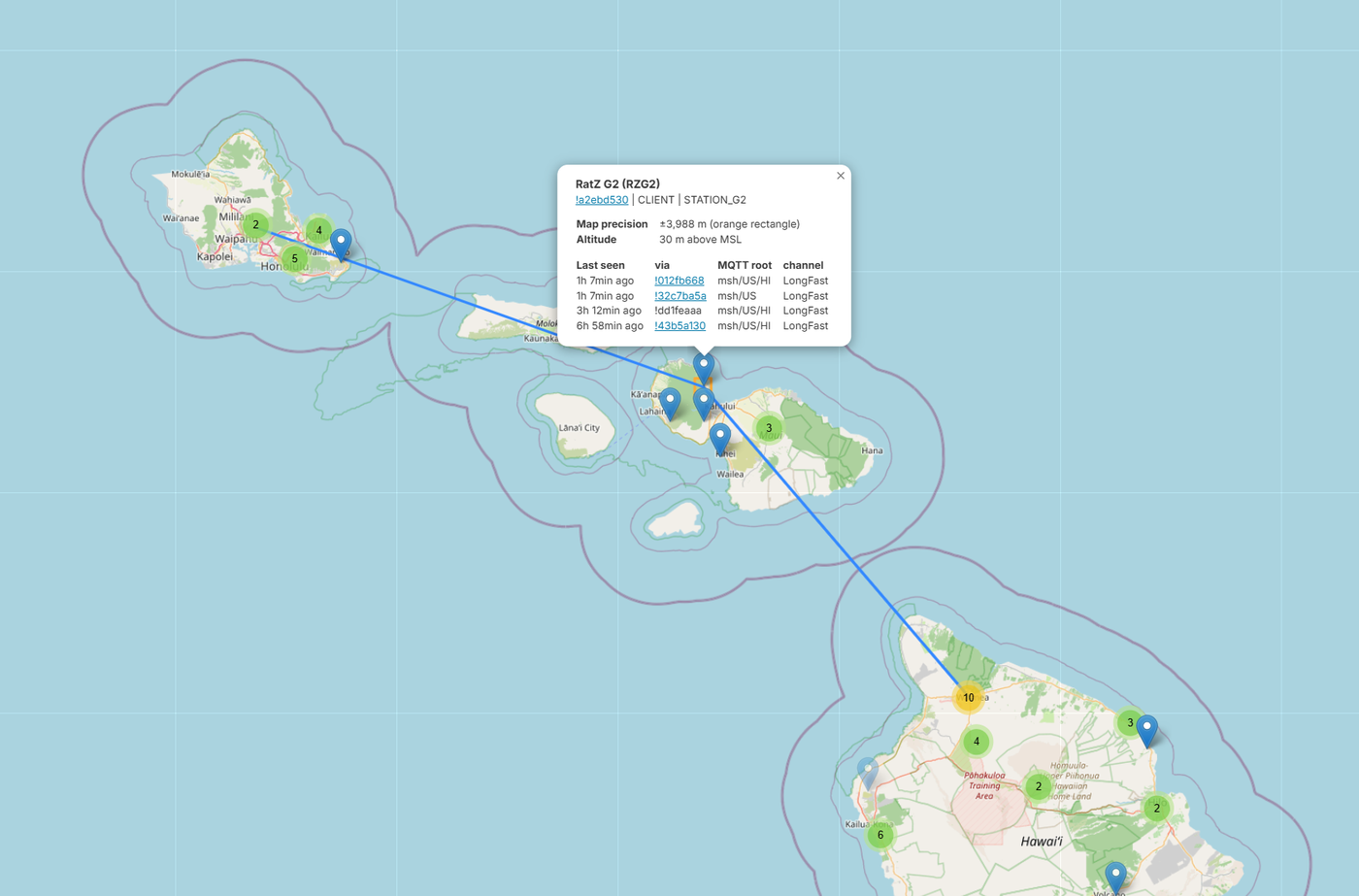
msh/US/HI MQTT topic.[ Overview ]
Hawaii has an active Meshtastic mesh: a volunteer, no-fee LoRa network whose
nodes find each other on the air and relay text. The map above is a snapshot
of it, clusters of nodes on each major island with lines running up and down
the chain.

A few things the map tells you:

  — Each island runs its own local RF mesh. Nodes on Oʻahu, Maui, and the
    Big Island hop to each other over the air, within radio range.
  — The long lines between islands aren't radio. They're MQTT, a
    publish/subscribe protocol where internet-connected nodes send their traffic
    to a shared server (a “broker”) that relays it to anyone subscribed. Each
    region uses its own topic; here it's msh/US/HI, for Meshtastic / US /
    Hawaii. That's what stitches the island meshes into one map, and it's the
    thing people misread most often. More on it below.
  — Everyone's on the LongFast preset and default channel. That's what lets
    nodes in RF range hear each other, and what lands them all on one map.

None of it needs a cell plan or anyone's permission. A node, an antenna and a
decent location is the whole price of entry, plus an internet uplink if you want
to bridge.
[ The inter-island links are MQTT, not radio ]
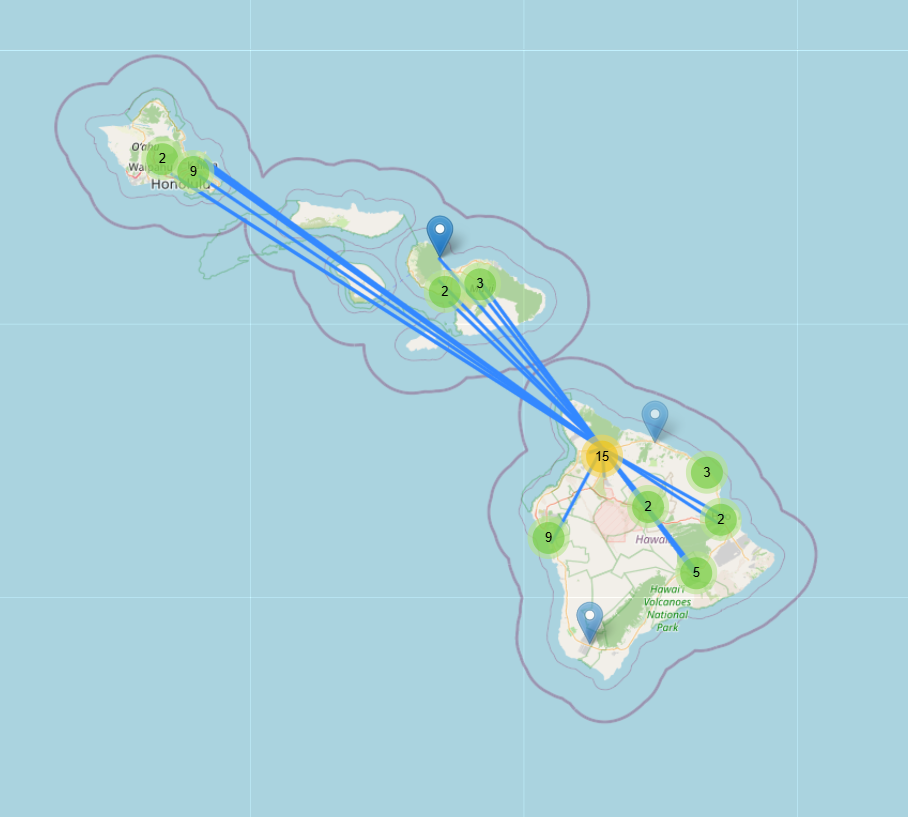
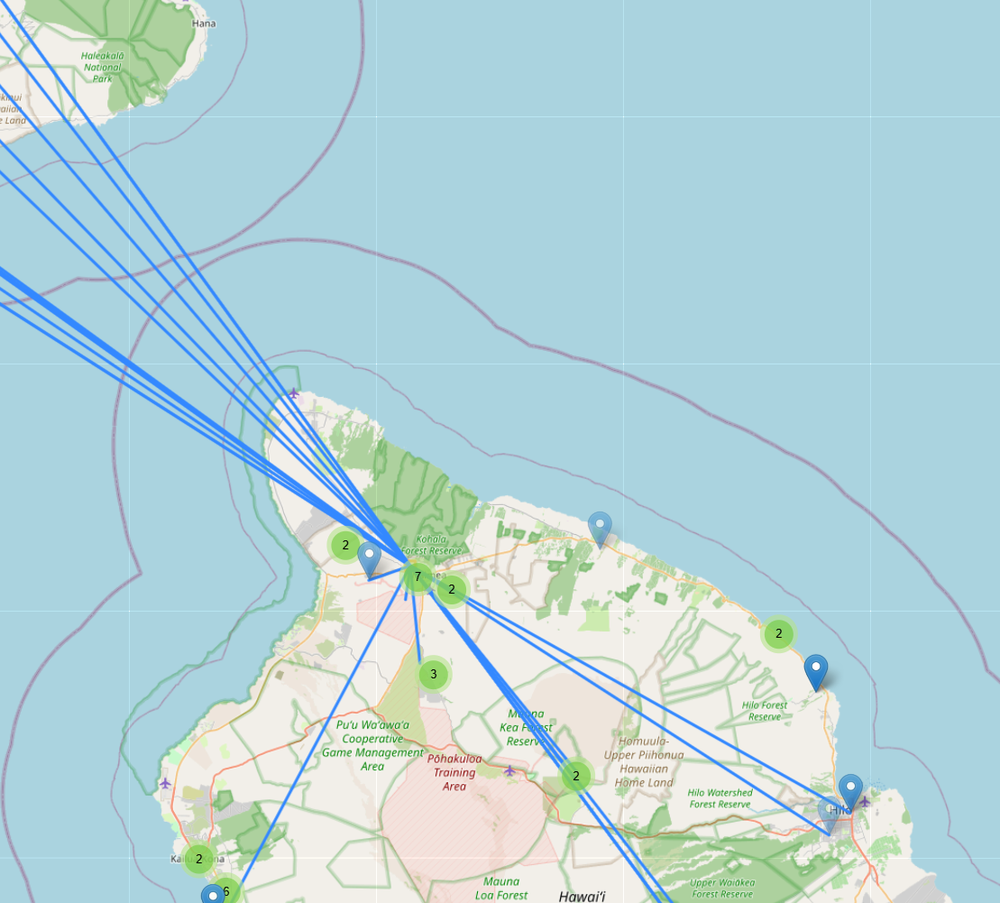
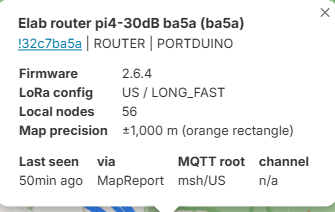
!32c7ba5a, “Elab router pi4-30dB” — a Raspberry Pi running Meshtastic natively via Portduino (no MCU board), ROUTER role, hearing 56 nodes locally over RF. It's also an MQTT gateway: it shows up in the “via … msh/US/HI” line of the Maui cards below because their packets reach the map through its internet uplink — not a radio hop across the channel.Here's what the map doesn't spell out: those long lines from the Big Island up to Maui and Oʻahu are not radio links across the ocean. They're MQTT bridges. Nodes with an internet uplink report to a shared MQTT server (themsh/US/HItopic), and the map draws a line between any two nodes that show up there together, whether or not a signal ever crossed the water. This is the thing almost everyone gets wrong on first read, so it's worth learning to tell the two apart. How to tell RF from MQTT on a mesh map: — A line with an SNR (from Neighbor Info) is a real, direct RF hop. — A line with no SNR, just shared MQTT presence, only tells you both nodes are online. The radio path is unknown, and every inter-island line here is one of these. — The popups confirm it. Every node reaches the mapvia … msh/US/HI, i.e. through an MQTT gateway, not by punching a signal across the channel. Could LoRa cross those channels by radio? Over open water it's not a crazy idea. Sea paths and ducting carry a long way (that's the maritime gotcha in the coverage guide), but it takes high sites on both ends, and that isn't what's happening here. The real radio is the dense local mesh on each island. The internet glues those islands into one logical network.
[ The Oʻahu anchor ]
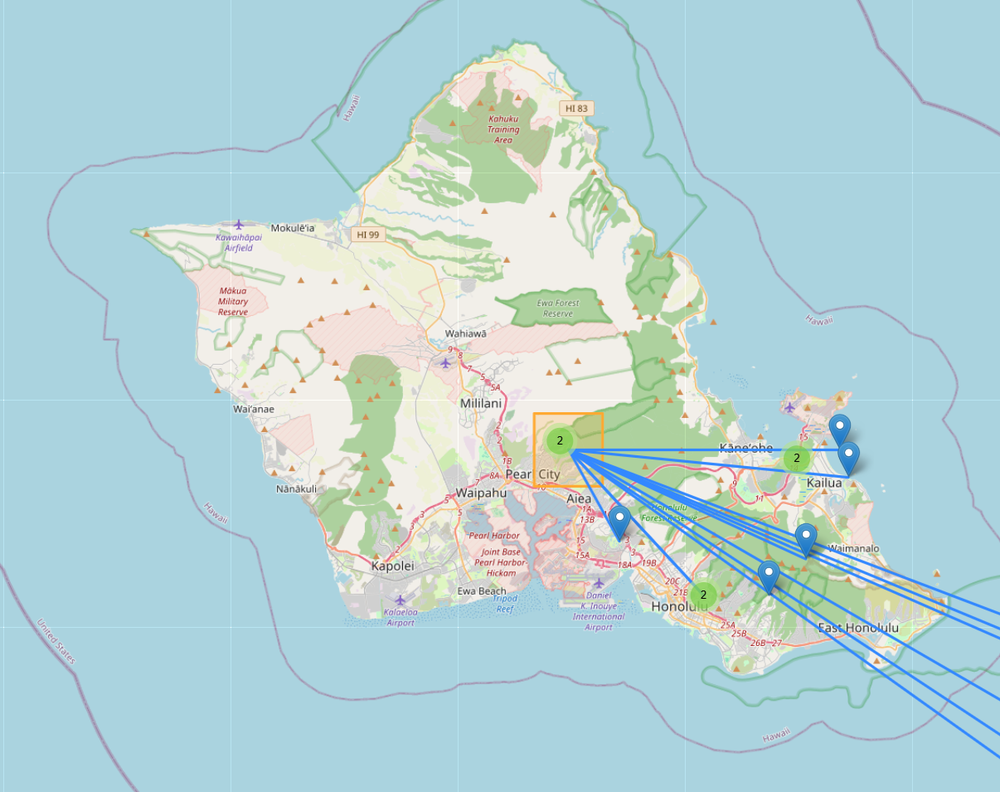
Same pattern on Oʻahu. A high node over Honolulu anchors a local RF mesh across
the island, and its internet uplink bridges that island mesh to the rest of the
state. The line heading east toward Maui is that bridge, not a radio shot across
the Kaʻiwi Channel.
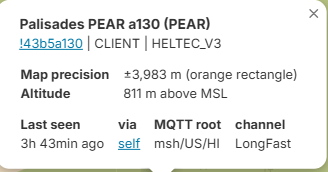
!43b5a130, “Palisades PEAR” — a Heltec V3 at 811 m in the hills above Honolulu, bridging straight to MQTT itself. Like the Big Island Pi, it's an MQTT gateway: it turns up in the Maui nodes' “via” line because their packets ride its internet uplink to the map, not a radio link.[ Real nodes on the mesh ]
I run a handful of nodes on this mesh myself. The ones below aren't mine. They're
public nodes off the live map, picked because they're sited and equipped so
differently from one another. Between them they cover three of the boards from
the build guide (a dedicated STATION_G2 router, a couple of nRF52 RAK4631s, an
ESP32 Heltec V3) at heights from a 1,000 m peak down to 42 m at the shore, all
on the default LongFast channel.

That spread is the interesting part. Height decides how far each one reaches
locally, and MQTT is the only reason they all land on the same statewide map.
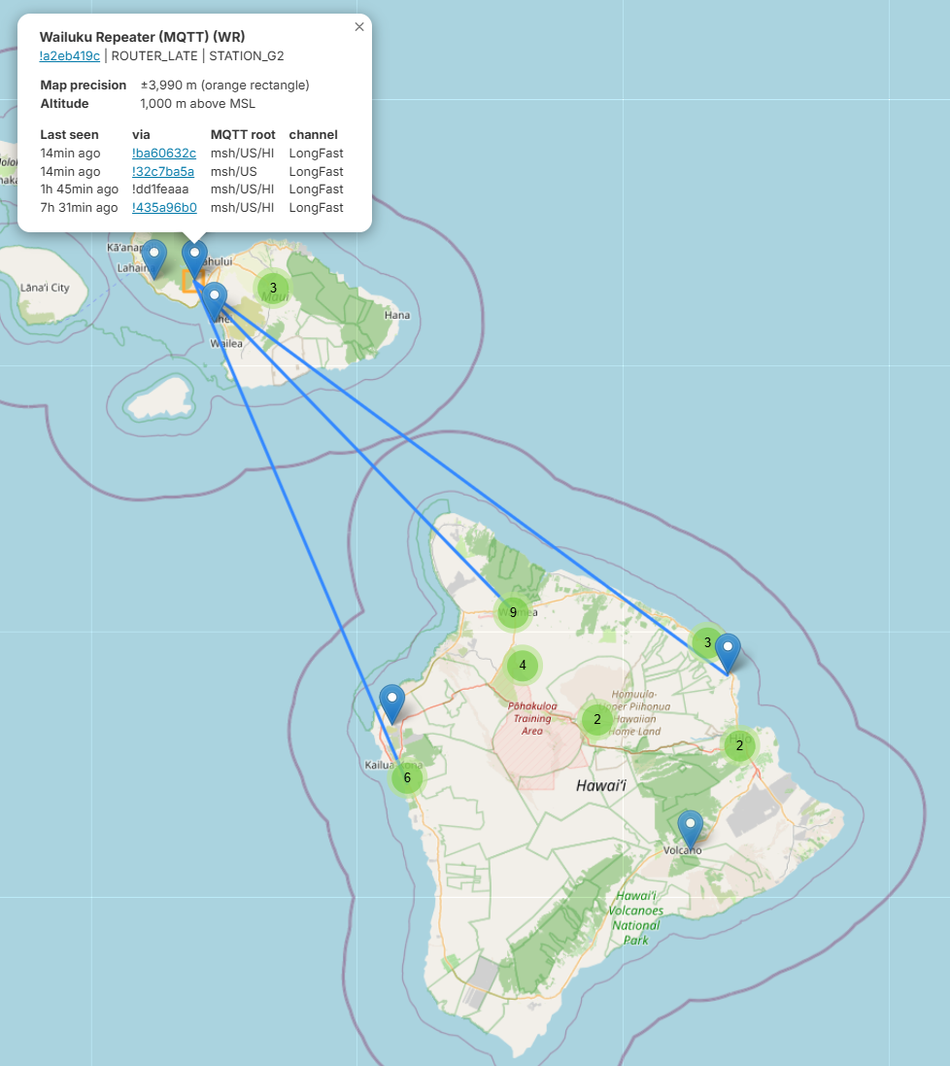
This is the local backbone. At ~1,000 m it has the horizon to cover a big slice
of Maui by radio, and it's built for the job: a STATION_G2 (a dedicated router
board) on the ROUTER_LATE role, with an MQTT uplink. It's the textbook
infrastructure node from the build guide's roles section, high and dedicated,
and deliberately ROUTER_LATE so it relays without stomping the primary routers.
Its apparent reach to the Big Island is, once again, the internet.
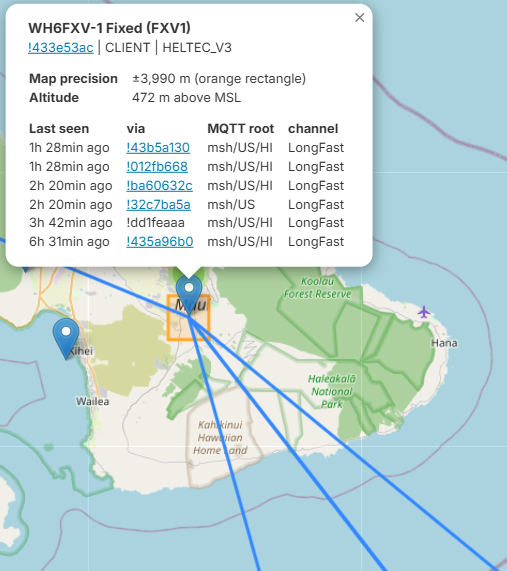
Cheap hardware in a good spot, which is most of the game. The name says what it
is: a fixed, stationary node running a Heltec V3, the ~$15 ESP32-S3 starter
board. ESP32's thirsty sleep current doesn't matter at a powered fixed site, and
that's exactly when the build guide says reach for a Heltec instead of an nRF52.
At ~472 m and well positioned, it gets heard all over Maui; its packets reach the
map through six separate gateways. Placement and uptime beat exotic gear.
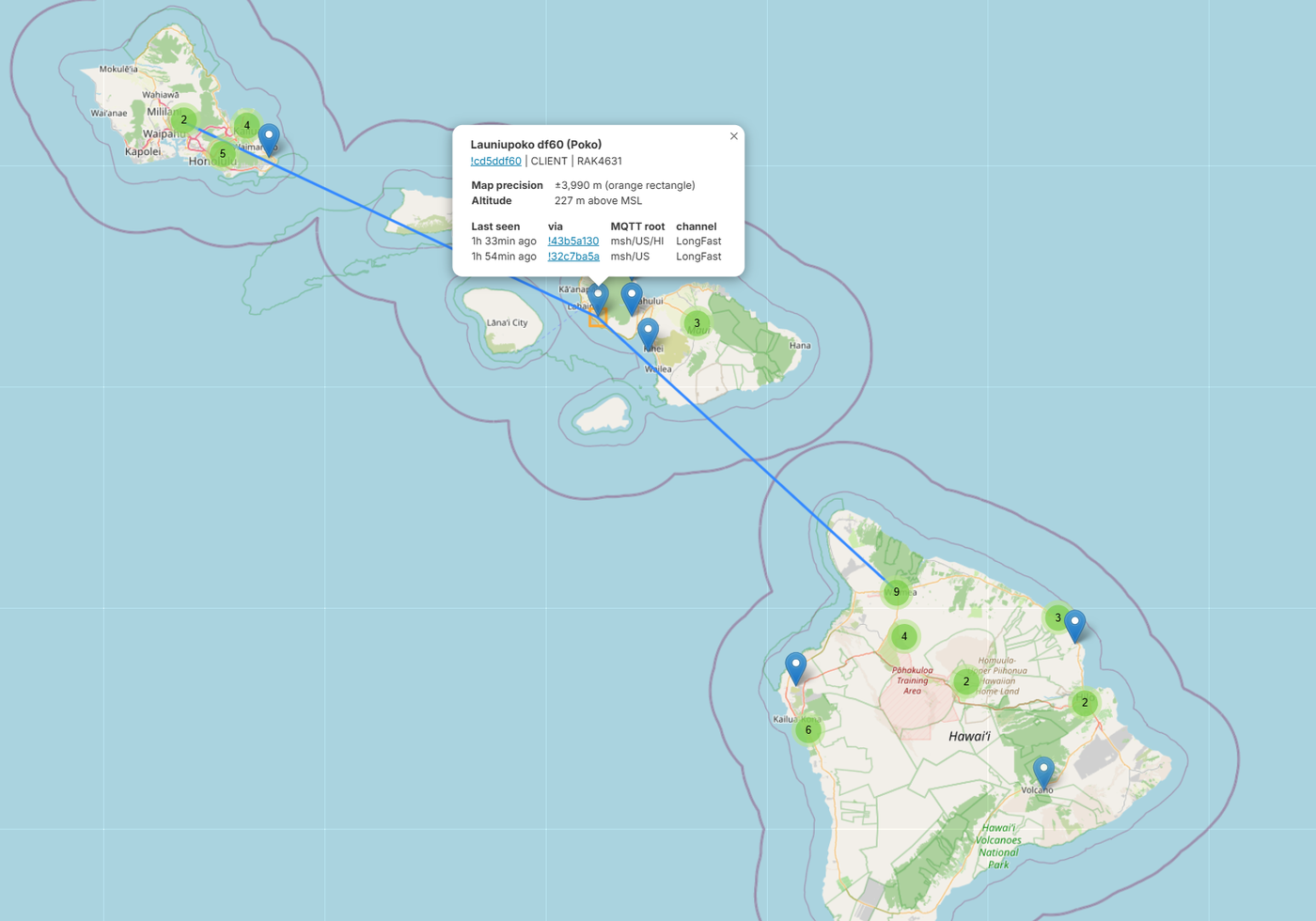
Lower and lighter than the Wailuku router. At ~227 m on the West Maui slopes it
has a clean horizon and decent local coverage, and its long lines are the usual
MQTT bridges. This one's a RAK4631 (nRF52) on the plain CLIENT role, which
still rebroadcasts. You don't need dedicated router hardware to be a genuinely
useful node from a decent height.
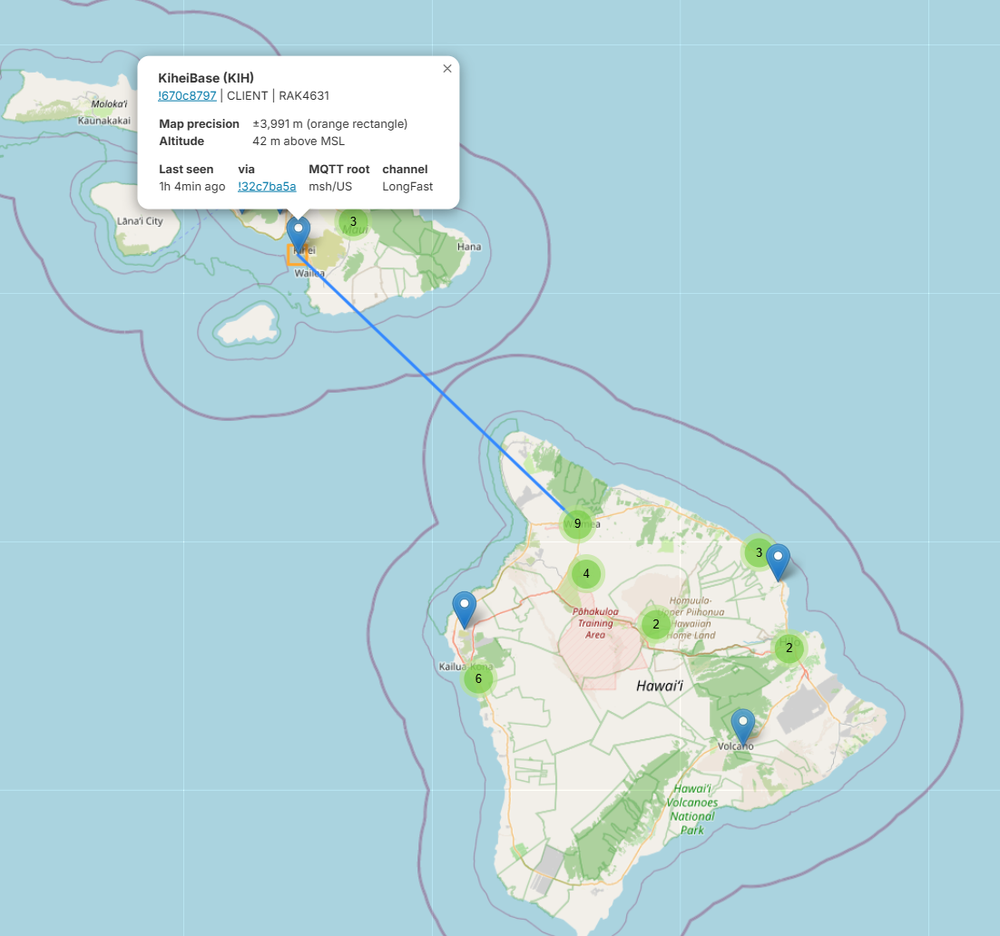
And the low counterpoint. Down at ~42 m on the South Maui shore it's no hilltop,
so its local radio footprint is modest; height is the one thing that would
really extend it. Another RAK4631 on LongFast, doing honest work near sea level.
Not every useful node has to be on a mountain.
[ Get on the mesh ]
Joining is the same anywhere. Hawaii just happens to have the geography that
makes it interesting:

  1. Get a node. Any Meshtastic-supported LoRa board for the US (915 MHz)
     band. Buy one or build one; see the node build guide.
  2. Set the region to US and leave the preset on LongFast so you're on
     the same channel as everyone else. That default channel is public,
     encrypted with a key everyone has. (A node that ships UNSET won't
     transmit until you pick a region.)
  3. Put it somewhere with a view. Height and a clear horizon beat power every
     time; a window facing the right direction can be the difference between
     hearing the mesh and hearing nothing.
  4. (Optional) bridge to MQTT. A Wi-Fi-capable node pointed at the
     msh/US/HI topic puts you on the shared map and links you to parts of the
     mesh you can't reach directly over RF.

That's it. Once you're on LongFast in the US region and within earshot of any
node, you're part of the mesh.
[ Build & plan ]
Two companion guides cover the how-to in depth:

  — Meshtastic Node Build
    — choosing the board (low-power nRF52 vs Wi-Fi-capable ESP32), the antenna
    details that decide your real range, solar power for remote relays, and
    picking the right mesh role.
  — Meshtastic RF Coverage Planning
    — model where a node will actually reach before you climb the hill,
    including the maritime-climate setting that makes or breaks over-water and
    inter-island predictions.

For a high relay aimed across a channel, both matter: the coverage planner picks
the site and proves the path, the build guide gets a node that survives up there
on its own power.
[ FAQ ]
Is the Hawaii mesh active? More than the map suggests. There are real local RF
meshes on Oʻahu, Maui, and the Big Island. The catch: the map only shows nodes
with an internet uplink, so a sparse-looking map undercounts what's actually
on the air.

Are the islands linked by LoRa across the ocean? No. The long lines between
islands are MQTT (internet) bridges, not radio. Each island runs its own LoRa
mesh; the internet stitches them into one map.

Why do I see so few nodes on the map? Maps like meshmap are built from MQTT,
so they only show nodes that bridge to the internet. RF-only nodes never
appear — the real mesh is bigger.

What is MQTT / the msh/US/HI topic? MQTT is a publish/subscribe protocol:
internet-connected nodes send their traffic to a shared server (a broker) that
relays it to subscribers. Hawaii nodes use the msh/US/HI topic, which gathers
the state onto one map.

How do I get on the mesh? Set your node to US region and the LongFast preset
(the default channel), put the antenna somewhere with a clear view, and you're
on. Add an internet uplink only if you want to bridge to MQTT; hardware tips
are in the node-build guide.
[ See Also ]
Meshtastic Node Build # hardware/antenna/solar — build a node for the mesh
Mobile Meshtastic Network # take the mesh on the move
Meshtastic RF Coverage Planning # model coverage, incl. the over-water gotcha
Meshtastic # the LoRa mesh project + docs
Meshtastic Web Flasher # flash firmware from the browser