
[ Meshtastic Node Build ]
[ Overview |
Pick the board |
Region / frequency |
Antenna |
Power & solar |
Node roles |
Enclosure |
Flash & first config |
Channels & security |
Placement |
Worked example |
Troubleshooting ]
[ Overview ]
Meshtastic turns a cheap LoRa board into a node on a long-range, low-power,
encrypted mesh that needs no cell service, no internet, and no infrastructure.
You flash firmware, add an antenna and a battery, and it finds every other node
in radio range and relays text for the whole mesh.

Building a node is easy. Building one that actually reaches and
survives comes down to three decisions, in rough order of how often people
get them wrong:

  1. The antenna and where it sits. Decides your range
     more than anything else on the bench.
  2. Power. Decides whether a remote node is alive next
     month or a dead box on a hill.
  3. The board (chip family). Mostly a power-budget and
     uplink decision once 1 and 2 are settled.

This guide walks each one with real numbers, then ends with a worked
solar-relay build. For where to put the finished node, meaning modelling
terrain, line-of-sight and predicted coverage before you climb anything, see the
companion Meshtastic RF Coverage Planning guide.
[ Pick the board ]
Every Meshtastic-supported board is some combination of an MCU and a
Semtech LoRa transceiver (almost always the SX1262 now, with better
sensitivity and lower RX current than the older SX1276). The MCU is the
choice that matters, and it's really two families:

  nRF52840  — deep-sleep in microamps. BLE only (no
              Wi-Fi). The right brain for anything battery- or
              solar-powered that has to last. RAK4631, T-Echo.

  ESP32 / -S3 — deep-sleep in milliamps (10×–1000×
              thirstier). Has Wi-Fi + BT, so it can uplink to MQTT
              (bridges the mesh to the internet) over your LAN. The right
              brain for a mains-powered home node. Heltec V3, T-Beam, T-Deck.

Rule of thumb: mains power → ESP32, since you get Wi-Fi and MQTT for
free. Battery or solar → nRF52, since you get weeks to months of
runtime instead of days.
Common boards, what they're for:

  Heltec LoRa32 V3   ESP32-S3, SX1262, 0.96" OLED. ~$15. The default
                     starter / cheap mains node. Tiny battery JST but
                     ESP32 sleep is poor, so don't expect solar magic.

  LILYGO T-Beam      ESP32 + SX1262 + GPS + 18650 holder + PMU. The
                     classic GPS / mobile / vehicle node.

  RAK WisBlock       nRF52840 (RAK4631) core on a modular base board.
   (RAK4631)         The go-to for solar relays — microamp sleep,
                     screw terminals, solar input on the base. Buy the
                     core + a RAK19007 (or RAK5005-O) base.

  LILYGO T-Echo      nRF52840 + SX1262 + e-paper + GPS. Low-power
                     pocket node; the screen costs ~zero idle power.

  Wio Tracker L1     nRF52840 + SX1262 + GNSS (Seeed). Low-power
                     tracker / portable node; Grove ports for sensors.
                     A dev board, so BYO antenna, battery, case.

  T-Deck / T-Deck+   ESP32-S3 + QWERTY + LCD (+ GPS on the Plus). A
                     standalone messenger you can type on without a phone.

  CrowPanel HMI      ESP32-S3 + 3.5" 480x320 touch + case (Elecrow).
                     A standalone touch terminal like the T-Deck;
                     mains / charge, not solar. Verify LoRa + firmware.

If you just want to get on the mesh today: a Heltec V3 (or two) and a
decent antenna. If you want to extend the mesh into a dead area
that has no power: RAK4631 + solar.
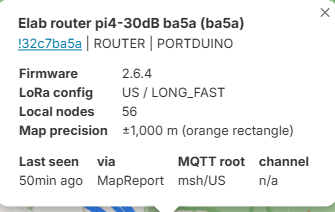
Beyond the boards: you don't even need an MCU board. Meshtastic
also runs natively on Linux via Portduino, so a Raspberry Pi with a
LoRa hat becomes a node, which is handy for an always-on, mains-powered ROUTER
with the headroom to gateway to MQTT and log the whole mesh.
[ Region / frequency — get this right first ]
LoRa runs in license-free ISM bands that differ by country, and
this bites people twice:

  — Hardware: a board is sold per band. A 915 MHz (US) radio
    and an 868 MHz (EU) radio are different SKUs. Order the one for
    where you live; the wrong band radio is the wrong antenna too.
  — Firmware: on first boot the region is UNSET and the
    node will not transmit until you pick one. Set
    LoRa → Region to your actual region (US, EU_868,
    EU_433, ANZ, …). Setting a region you're not in is a good way to
    transmit illegally.

Get the band wrong and nothing on this page helps. You'll have a
node that's deaf, illegal, or both.
[ Antenna — where range is won and lost ]
This is the part people skimp on and then blame the radio. At 900 MHz a
few details decide everything:

1. Never transmit without an antenna. Powering a LoRa board with no
antenna (or a badly mismatched one) reflects the transmit energy back into
the PA. LoRa is low power (~22 dBm), so you might get away with it once,
but repeated keying can degrade or kill the radio. No antenna on the bench
→ no power, or fit a dummy load.

2. Match the connector: SMA vs RP-SMA. They look identical and do
not mate. SMA has a center pin on the cable; RP-SMA reverses it
(pin on the jack). Buy the antenna that matches your board's connector, or
nothing screws together right and you'll think it's tight when it isn't.

3. Tune to your band. A "900 MHz" antenna built for the US 915 band
is not optimal on EU 868 and definitely not on 433. A stock rubber-duck
that's resonant on the wrong band wastes most of your budget as reflected
power (high SWR).

4. Gain is a trade, not free range. A high-gain antenna (say 5–8 dBi)
squashes the radiation donut flatter: more reach toward the horizon, less
straight up and down. That's perfect between two nodes at similar
elevation on flat ground. On a mountaintop it can fire your signal clean
over the users in the valley below. Match the pattern to the geometry, not
just the dBi number. (More on this in the coverage guide.)

5. Height beats power, and feedline eats both. Getting the antenna a few
meters higher does more than any legal power increase. But coax loss at
900 MHz is brutal: thin RG174 can swallow several dB in a short run.
Keep the radio close to the antenna and the feedline short. If
you must run cable, use low-loss LMR-240/400. Mount the antenna high, not
the box.

6. Verify it, don't just trust it. A cheap NanoVNA (or an SWR meter)
sweeps the antenna and shows whether it's actually resonant on your band.
It catches a mistuned whip, a dud, or an RP-SMA/SMA mismatch in seconds,
before you blame the radio or the terrain for bad range.
Antenna types, and when to reach for each:

  — Stock whip / rubber-duck: the little omni that ships with the
    board. Low gain, wide pattern; fine for a handheld or a starter node.
  — Fiberglass / colinear omni: a taller omni (~3-8 dBi) with more
    reach toward the horizon. The go-to for a fixed relay up on a mast.
  — Directional (yagi / panel): high gain aimed one direction, for a
    dedicated point-to-point link (a valley feed, a hilltop-to-hilltop hop). It
    only serves what it points at, so it's not a general mesh antenna.
Connectors, the chain from board to antenna:

  — U.FL / IPEX / MHF: the tiny snap-on jack on the PCB of many
    boards (RAK, Wio, T-Echo). Fragile, and not for an external antenna
    directly; you run a short U.FL→SMA pigtail out to a bulkhead.
  — SMA vs RP-SMA: the external screw thread. They look identical
    but don't mate (RP-SMA reverses the center pin), so match antenna to pigtail.
  — N-type: the bigger weatherproof connector on fiberglass and
    outdoor antennas, at the antenna end of an LMR feedline.

A typical fixed node is: board U.FL → pigtail → bulkhead SMA
→ (optional LMR run) → antenna. Keep that chain short, because every
connector and every inch of coax costs you signal at 900 MHz.
[ Power & solar — keeping a relay alive ]
A node on your desk runs off USB and you never think about it. A node on a
ridge that has to feed itself is a different engineering problem.

The TX current spike. Transmitting pulls a short, sharp current spike
(roughly 100–150 mA on the whole board during a packet). A solar panel
alone can't supply that cleanly, so you always need a battery (or a
big cap) between the panel and the board to absorb the spikes. Panel charges
battery, battery runs node.

Size for the worst day, not the average. The classic remote-node death
is a brownout loop: undersized battery + a run of cloudy, cold days → the
pack sags → the board browns out and resets → reset draws more → it
never recovers. Size the battery for your darkest expected stretch with zero
charging, then add margin. Cold also robs LiPo capacity, so derate for winter.

This is why nRF52 wins outdoors. An nRF52 relay sleeping at microamps
between rebroadcasts can ride out days of bad weather on a small pack. An
ESP32 doing the same job burns through it. If the node must live on sun,
start from a RAK4631.

A sane small solar relay budget:
  — nRF52 board (RAK4631) — low idle draw
  — 3000–3500 mAh Li-ion / 18650, quality cell
  — 5–6 W / 6 V panel (oversize the panel; sun is unreliable)
  — a real charge controller / solar-input base (don't hang a raw
    panel on a LiPo)
  — role that doesn't keep the radio needlessly awake (see below)
Before you plug in a LiPo: check the polarity. JST battery connectors
aren't standardized, so a pack's plug can be wired backwards relative to
what your board expects, and it still clicks in happily. On a RAK19007
there's a printed + next to the battery port; make sure the battery's red
(positive) wire lands on it (meter it if you're not sure). Reverse
polarity can kill the board in seconds. If the plug is backwards, re-pin
the JST housing rather than forcing it in.
[ Node roles — please don't set ROUTER ]
A node's role tells the mesh how it should behave when it hears a
packet. Picking the wrong one is the most common way well-meaning people
degrade a local mesh.

  CLIENT        Default. Full app/UI, and it rebroadcasts to extend
                the mesh. This is what almost every node should be.

  CLIENT_MUTE   Participates but does not rebroadcast. Use for a
                leaf node sitting next to a router, so it doesn't add
                duplicate hops and airtime.

  ROUTER        Prioritized rebroadcaster meant for a node that is
                genuinely high and covers a wide area. It also sleeps
                its screen/peripherals to save power. Only justified on
                real infrastructure sites — a rooftop, a tower, a peak.

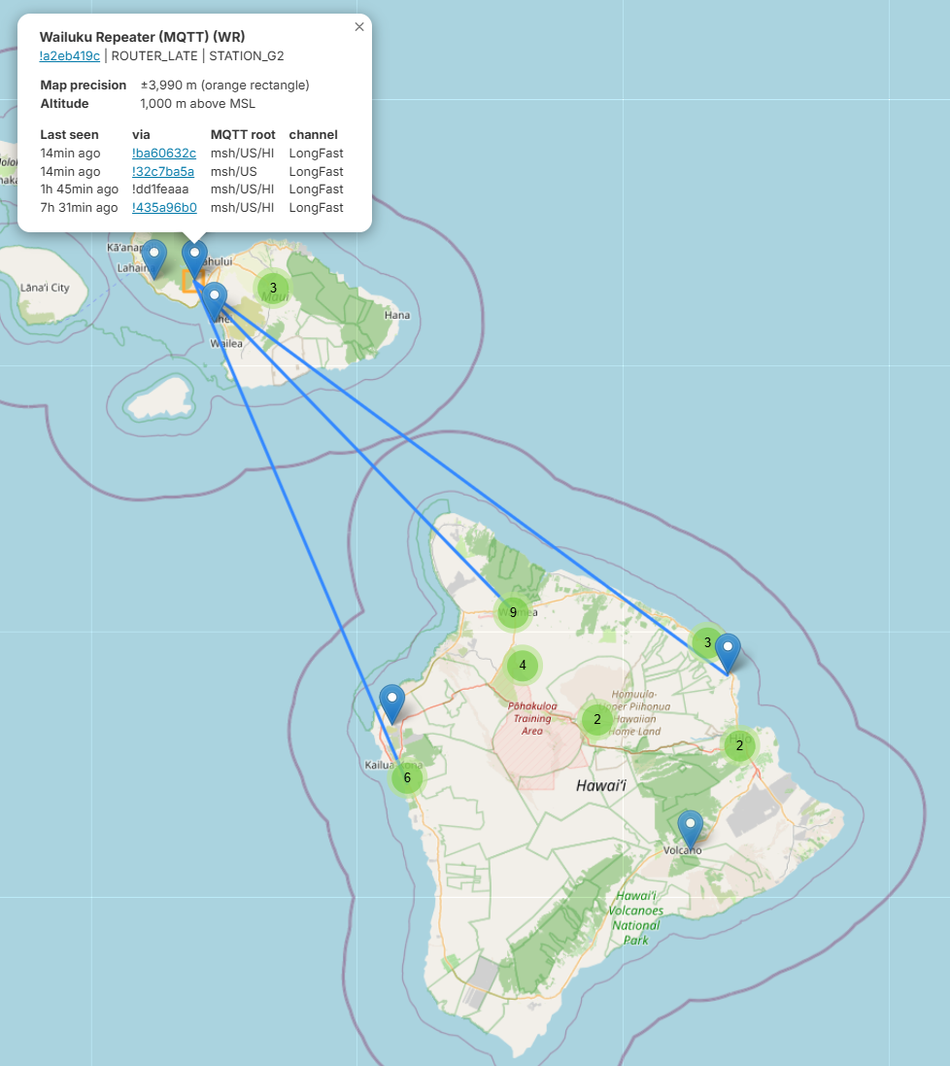
  ROUTER_LATE   Like a router but rebroadcasts later in the priority
                order — for secondary infrastructure that should
                help only when the primary routers didn't already cover
                it. Great for a second hilltop relay.

  REPEATER      Infrastructure-only: rebroadcasts but exposes no
                client UI and doesn't show up as a normal node. For a
                set-and-forget relay you won't message from.

The antipattern: setting every node to ROUTER because it "sounds
better." A pile of equal-priority routers in earshot all rebroadcast the
same packet, flooding airtime and actually shrinking effective range.
Default everything to CLIENT, and promote a node to ROUTER, ROUTER_LATE or
REPEATER only when it's a real high site doing real relaying.
[ Enclosure & weatherproofing ]
An outdoor relay lives or dies on water management. Electronics rarely die
from rain directly. They die from condensation that forms inside a
sealed box as it heats and cools each day.

  — IP65+ enclosure, UV-stable (cheap ABS goes brittle in a season
    of sun).
  — Vent it. A Gore-style breathable vent equalizes pressure and lets
    moisture out without letting rain in. A perfectly sealed box is a
    condensation trap.
  — Bulkhead the antenna. Mount the SMA connector through the wall of
    the box, antenna outside, with a drip loop in any cable so water
    runs off instead of into the connector.
  — Mind the heat. Dark box in direct sun cooks LiPo cells and shortens
    their life. Light color, shade, or airflow.
  — Strain-relieve every cable entry. Wind works connectors loose over
    months.
[ Flash & first config ]
Flashing is the easy part:

  1. Plug the board in over USB.
  2. Open the web flasher in a Chromium browser (it uses Web Serial),
     pick your board, flash the current stable firmware.
  3. Connect with the phone app (BLE) or the web client and
     set, at minimum:
       — Region (or it won't transmit — see above)
       — Role (CLIENT unless it's real infrastructure)
       — a node name so it's identifiable on the mesh
  4. Leave the modem preset on the default (LongFast) unless your whole
     local mesh agreed to change it. Every node has to share the same
     preset and channel to talk, and faster presets trade away range.
# prefer the CLI? the python tool does the same config headless
pip install --upgrade meshtastic
meshtastic --set lora.region US
meshtastic --set device.role CLIENT
meshtastic --set-owner "ridge-relay-01"
meshtastic --info        # dump the running config to verify
[ Channels, keys & threat model ]
Meshtastic encrypts every packet, but read that carefully. Traffic is
encrypted per channel with a pre-shared key (AES-256), and the channel
everyone starts on uses a well-known default key. So the default
“LongFast” channel is encrypted with a key everybody already has.
Functionally it's a public channel. Anyone running stock Meshtastic in
range, or watching a public MQTT bridge, can read it.

That's fine for the open community mesh. It's the whole point, and the
Hawaii mesh rides on that default channel. Just don't mistake
“encrypted” for “private.”
How channels actually work:

  — A node carries up to 8 channels — channel 0 is the
    primary, 1–7 are secondary.
  — Each channel is a name + a key (PSK). Both ends need the same
    name and the same key, or they can't hear each other.
  — The modem preset (LongFast, etc.) is a separate thing — the
    radio speed / range setting, and the whole mesh has to share that too.
  — Leave the primary channel on its default key and you're on the
    public channel, which is exactly how you join an open mesh.

For anything private, make a channel with a random 256-bit
key. Only nodes loaded with that key can decrypt it; everyone else just
hears noise. You share the key out-of-band via the channel's QR code /
URL.
Two layers of crypto: the channel, and the direct message. The channel PSK
above encrypts everything on a channel, but everyone holding that key can
read it. On top of that, recent firmware (~2.5+) gives every node a public
/ private key pair (Curve25519) and uses it for direct messages: a DM is
encrypted to the recipient's public key and authenticated, so only they
can read it and you know which node really sent it. Nodes exchange public
keys automatically when they first hear each other, so a DM stays private
even on the public channel, while ordinary channel traffic does not.

One caveat: the public-key layer is fairly new and its implementation has
had security bugs. Keep firmware current, and don't treat DMs as bulletproof.
What it does and doesn't protect. Encryption hides message
content from anyone without the key. It does not hide:

  — That you transmitted. Anyone with an SDR sees the LoRa burst; with
    two receivers they can direction-find the node. Crypto protects the
    payload, not your location on the RF map.
  — Metadata. Who's talking, how often, packet timing, and the node IDs
    and (often) positions a node beacons on the channel.
  — Spoofing on a PSK channel. A shared-key channel has no per-sender
    authentication, so anyone with the key can forge a node ID or a position. (DMs
    are authenticated by the sender's key; channel posts aren't.)
  — What you bridge to MQTT. The broker operator sees every channel they
    hold the key for; for the default channel, that's the whole world.
  — Past traffic once a key leaks. No forward secrecy: capture the
    ciphertext now, get the PSK later, and all of it decrypts.
Sniffing LoRa with an SDR. Want to see the threat model first-hand?
LoRa's chirp modulation (CSS) isn't plain FSK, so a generic decoder won't touch
it, but gr-lora_sdr (a GNU Radio module) demodulates the PHY from a capture.

  — Hardware: a HackRF / PlutoSDR / LimeSDR / USRP covers 433 / 868 /
    915 MHz; a cheap RTL-SDR does 433 easily and reaches 915 near the top of its
    range (LoRa's narrow 125–500 kHz channels fit any of them).
  — Without the channel key you still get that a transmission happened,
    its timing, frequency and spreading factor, and signal strength: i.e.
    metadata, presence, and the basis to direction-find the node.
  — With the key, the AES payload decrypts and you read the content.

For content on a channel whose key you hold, the shortcut is a Meshtastic node
itself: set it to that channel and it logs everything. The SDR's real edge is
the metadata, PHY and direction-finding layer a node hides from you, which is
exactly what encryption doesn't cover.
Attacks & resilience. The flip side of the threat model: what someone can
throw at a mesh, and what actually holds up. (Framed for defense; note
that intentional jamming is illegal under FCC §333.)

  — Jamming / RF DoS. The crudest attack is just noise on the band.
    LoRa's chirp spreading gives it processing gain, so it decodes below the noise
    floor and shrugs off weak interference, but a determined wideband jammer
    denies the channel and there's no PHY-layer fix. You detect it (noise floor
    climbs, packets vanish) and lean on mesh redundancy, not prevention.
  — Spoofing / injection. A shared-PSK channel has no per-sender auth,
    so forged node IDs and positions are trivial. Defend with PKC-authenticated
    DMs and a private channel; treat channel data as unsigned.
  — Replay. The mesh dedupes recently-seen packet IDs, which blunts
    naive replay, though not an attacker patient enough to wait it out.
  — Airtime flooding. A malicious (or just ROUTER-spammed) node can hog
    airtime and drain everyone's batteries; rate-limiting is weak, so this is an
    operational defense: watch who's transmitting how much.
  — MQTT injection. Anyone holding the (default) key can inject via a
    public broker's downlink. Keep anything that matters off public MQTT.
  — Physical. Most boards have no secure element, so physical access is
    key extraction; a node you can't physically trust isn't trusted.

The theme: at the radio layer you can't stop a jammer or a spoofer. What you can
do is make the mesh redundant (many routes, many nodes) and move trust to keys
(PKC, private channels) and to physical control of the hardware.
Key hygiene (it's that kind of site):

  — The channel QR / URL is the key — treat it like a password. Don't
    paste it in a forum or screenshot it online; it's easy to leak by accident.
  — Back up a node's keys before you wipe or reflash — a fresh key pair
    is a new identity and breaks existing DM history.
  — Rotate a leaked PSK. If a channel key gets out, make a new one and
    re-share it out-of-band; there's no forward secrecy on the old traffic.
  — Position is broadcast by default. On a public channel that's your
    location in the clear. Drop the precision, or turn it off where it matters.
  — Guard the admin key. Remote admin is remote control of the node; lock
    it down and don't pass that key around.
[ Placement — the multiplier ]
A modest node up high beats a maxed-out node down low, every time. Once the
hardware works, where you put it is the single biggest lever on coverage.

  — Height and clear line-of-sight toward the nodes you want to reach.
  — Get the antenna above the local clutter (roofline, trees), not just
    the box off the ground.
  — On hills, remember the high-gain-over-the-valley trap from the antenna
    section.

Rather than guess, model it first. The companion Meshtastic RF Coverage
Planning guide walks the terrain-aware Site Planner end to end: drop your
node at a lat/lon, set the antenna height you actually plan to use, and see
the predicted coverage before you climb the hill.
[ Worked example — a solar ridge relay ]
Goal: a set-and-forget relay on an off-grid high point to bridge two
populated areas that can't hear each other directly.

  Board     RAK4631 (nRF52840 + SX1262) on a RAK19007 base
              → microamp sleep, screw terminals, solar input
  Power     3500 mAh 18650 + 6 W/6 V panel into the base's
              solar input → rides out cloudy stretches
  Antenna   5.8 dBi fiberglass omni, tuned to band, on a short
              mast; radio mounted right at the base of it (short
              feedline) → height without coax loss
  Role      ROUTER_LATE → helps relay from a true high site
              without stomping the primary routers
  Box       IP67 UV-stable enclosure, Gore vent, bulkhead SMA,
              drip loop, mounted out of direct afternoon sun
  Siting    chosen by modelling candidate peaks in the Site Planner
              first, then validated in the field

That's the whole recipe. A low-power brain so it survives, a real antenna up
high on a short feedline so it reaches, a battery to eat the TX spikes, and a
role that helps the mesh instead of flooding it. Everything else is
weatherproofing and patience.
[ Troubleshooting — my node hears nothing ]
Powered on but the mesh is silent? It's almost always one of these. Work
down the list:

  — Region is UNSET. A fresh node won't transmit until you pick one.
    Set LoRa → Region to where you actually are (US, EU_868, ...).
  — Wrong band. A 915 MHz radio can't hear an 868 MHz one — the
    hardware and the region setting have to match your location.
  — Preset mismatch. The whole mesh shares one modem preset (LongFast
    by default). A different preset is a different, mutually deaf network.
  — Channel or key mismatch. Same channel name and key as everyone
    else, or you just hear noise. The default public channel is the easy way on.
  — Antenna. Missing, loose, wrong band, or SMA vs RP-SMA mismatch —
    and never key up with no antenna attached.
  — Sited too low. Down in the clutter a node hears almost nothing;
    get it up with a clear horizon before blaming the radio.
  — Nobody's in range. Sometimes the mesh really is empty nearby.

Isolate it: put a second known-good node a few metres away. If the two
hear each other but nothing else, your node is fine. The mesh is just out of
reach, and the fix is height or a relay, not a reflash.
[ See Also ]
Meshtastic RF Coverage Planning # model coverage before you climb the hill
The Hawaii Meshtastic Mesh # a real inter-island mesh built from nodes like this
Mobile Meshtastic Network # take it on the move — hiking, overlanding, events
ESP32 Bluetooth Proxy # adjacent ESP32 flashing / RF work
Hardware Hacking (parent) # arduino, firmware, ISP, RF
Meshtastic # the LoRa mesh project + docs
Meshtastic Web Flasher # flash firmware from the browser